Prior to updating the parameters, EmoGuardian conducts multiple checks to avoid inconsistencies. Any setting or condition that would trigger an immediate flattening of the positions is considered an inconsistency. Consistency checks are performed in two cases:
  • When clicking the “Update parameters” button: in this case we make sure that the new inserted parameters would not be immediately violated.
  • When switching on the EmoGuarding. When switching EmoGuardian on, the parameters in use are applied. The applied parameters are the ones loaded with the last “update parameters” action. The consistency check, ensures that no position immediately violates the limits, when EmoGuardian in switched on.
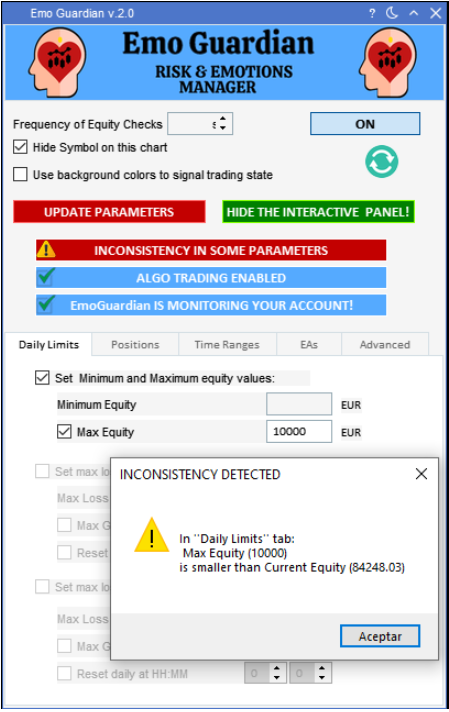
Let’s see some examples of inconsistencies: Example 1: In the Positions Limit tab, you decide to impose a limit of 30 trades per day (starting from 00:00:00 platform time to 23:59:59 platform time), and you already took 35 trades. This is considered an inconsistency, and you will be warned after clicking the update button. Updating the risk values will not be permitted until this inconsistency is removed (in this case increasing the number of permitted trades). Example 2: In the Positions Limit tab, you decide to allow only 300 USD of risk per symbol, but you have several positions opened on EUR/USD that are currently generating a loss of -430 USD. This is considered an inconsistency, and you will be warned after clicking the update button. Updating the risk values will not be permitted until this inconsistency is removed (in this case increasing the allowed symbol risk or closing some of the losing position). Consistency Checks